Computle Client v3.0.8: What to Expect.

What's New
Computle Client version 3.0.8 makes it easier to connect to Computle, by automatically presenting the Windows login screen, and tracking when a user's machine assignment changes. Additionally, we resolve bugs with telemetry collection and log handling.
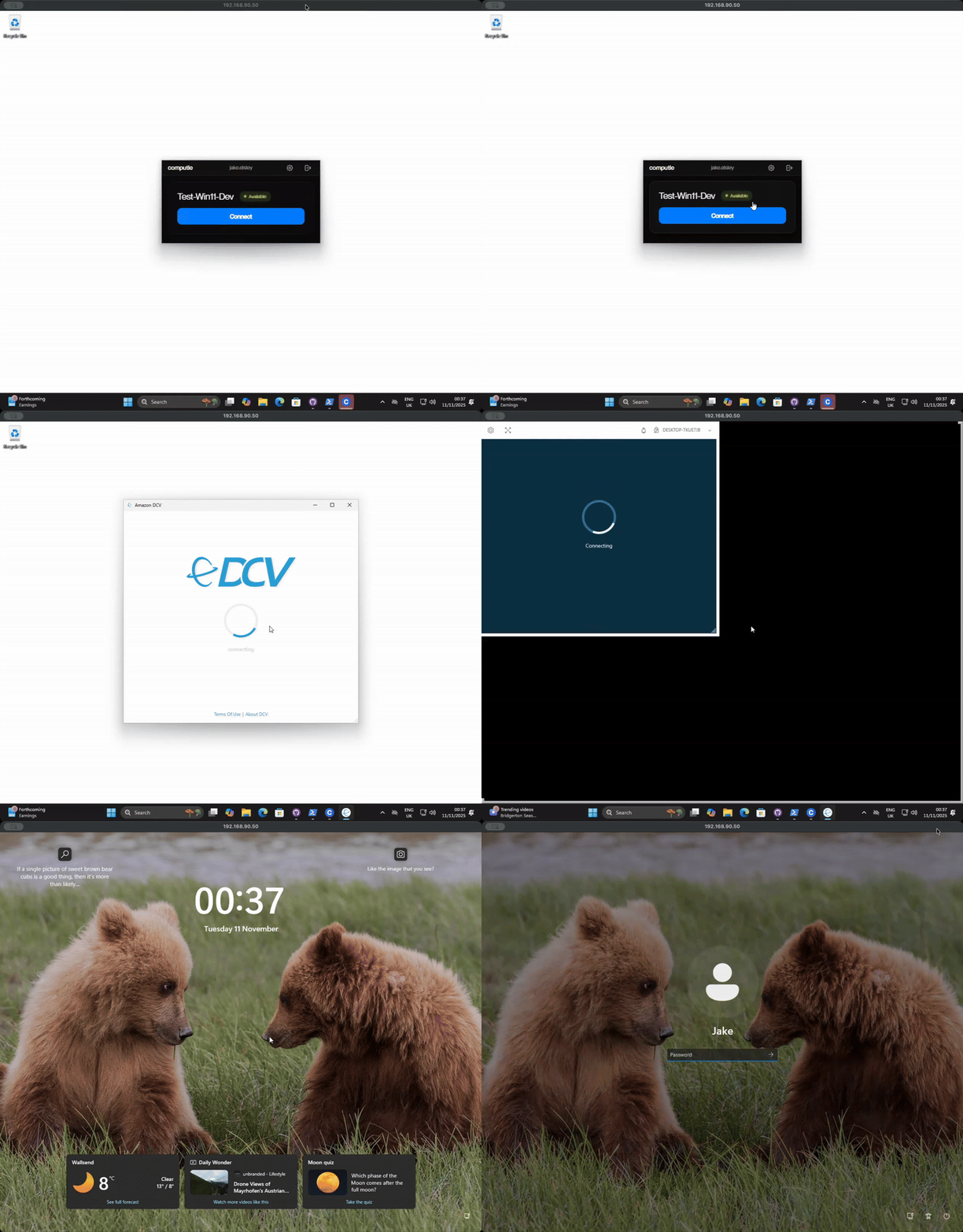
Auto-Connect on Login
Clicking Connect will take you to the Windows login screen, enabling users to bypass entering Entra ID/AD prefixes. Additionally, users will be able to use Windows Hello for Business authentication methods, such as as pin number. For administrators, you will benefit from easier machine diagnostics, with full console access natively integrated into the client.
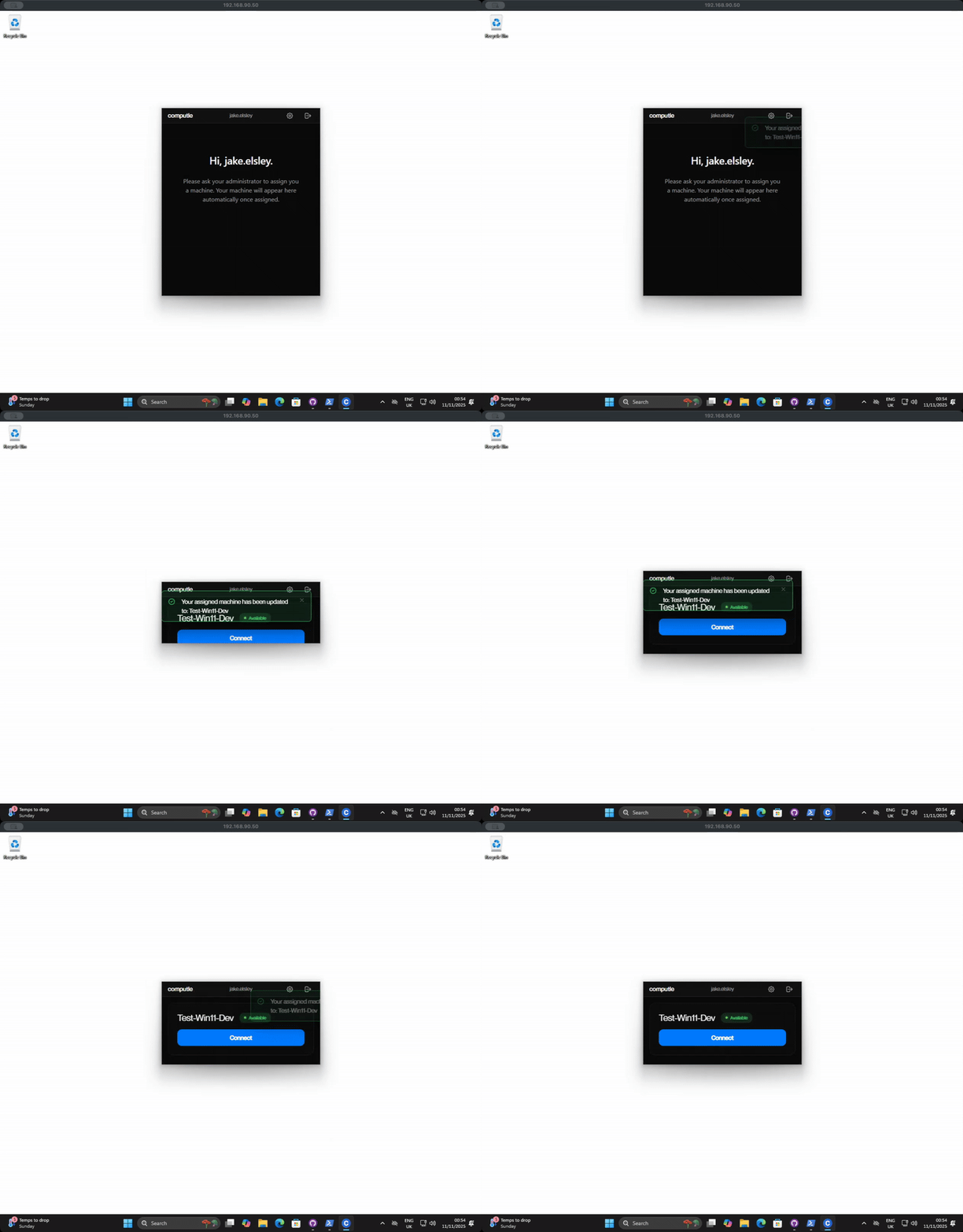
Machine Assignment Updates
Computle Client now detects when your machine assignment changes without requiring you to log out and back in. Additionally, for IT administrators, Computle Client no longer requires the machine to be assigned in the Registry, reducing workloads. Simply re-assign a user in the Computle Portal, and wait a few seconds.
Admin Connection Mode
Administrators can now connect to all Computle machines direct from their control panel, using the same performance connection protocol as their end users.

Automatic Session Cleanup
The client now monitors your DCV connection and automatically cleans up when you disconnect. This prevents a situation where users have multiple DCV sessions left open, resulting in connection issues. It also enhances the user experience, removing the need to close DCV after disconnecting from Computle.
Automatic O/S Lock
Computle will now automatically lock the user's session on disconnect, enhancing security.
Availability
Computle Client v3.0.8 is undergoing testing before release. A full changelog can be viewed here.
Discover more at Computle.com.