Coming soon to your Computle Portal

Six new things are on their way to the Computle Portal and your workstations: an App Library your team installs from themselves, security you can see in one place, Windows images built in a few clicks, workstation health, sign-in timing, and printing to the printer on your desk. Here is what each one does.
Install apps without a ticket
The Computle App Library puts your organisation’s apps on every workstation. Your team installs what they need in one click, with no administrator rights and no waiting.
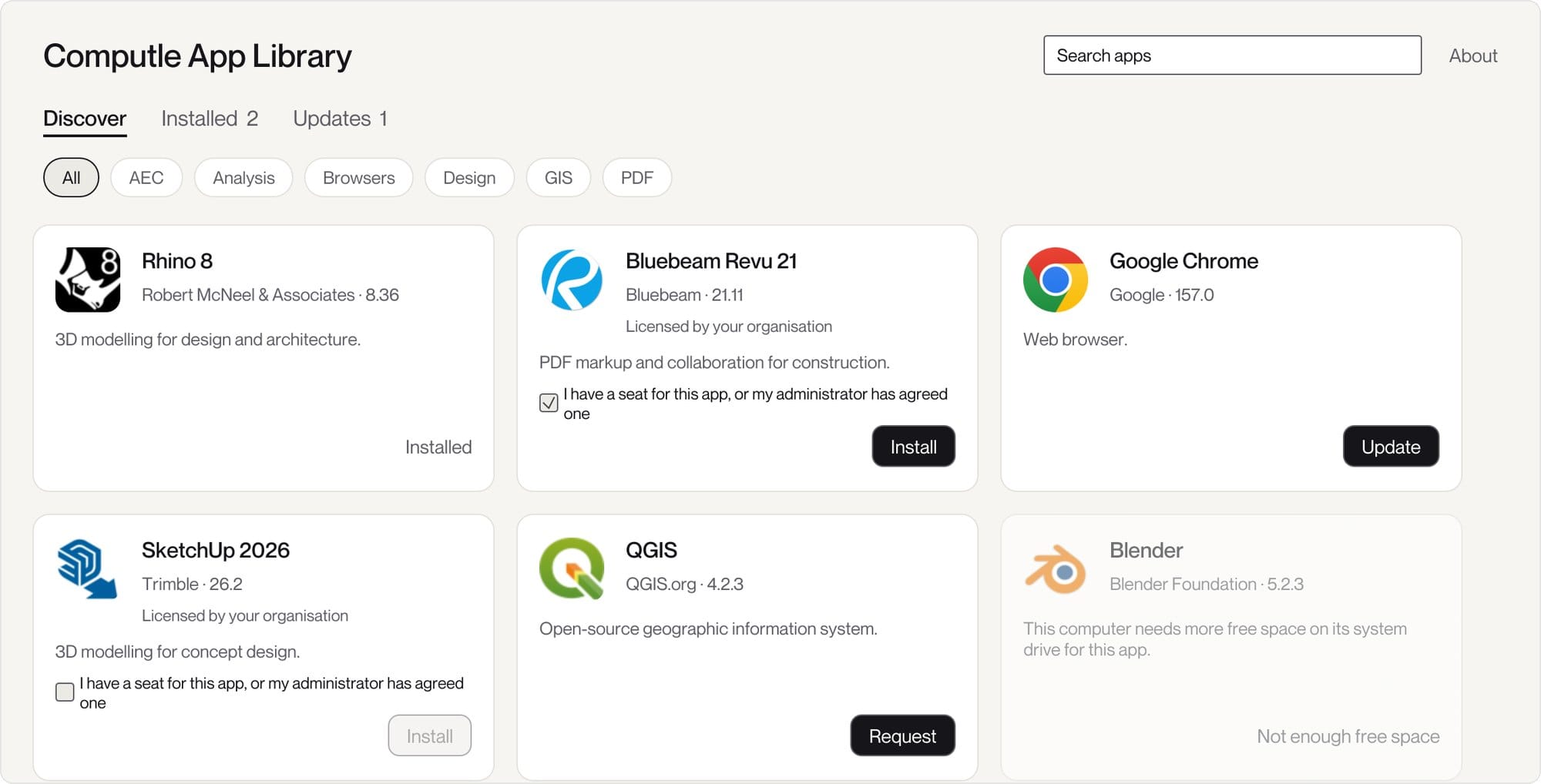
It opens on every Computle Windows workstation with the apps your organisation offers, sorted into categories and searchable by name. Discover shows what is available, Installed shows what is already on the workstation, and Updates shows anything with a newer version, which is one click to update too.
You do not have to package anything yourself. Computle maintains a library of the apps architecture, engineering and construction practices use most, such as Autodesk, Adobe, Rhino, Bluebeam and SketchUp, packaged, tested and kept up to date. Choose which ones your organisation offers, and add your own alongside them.
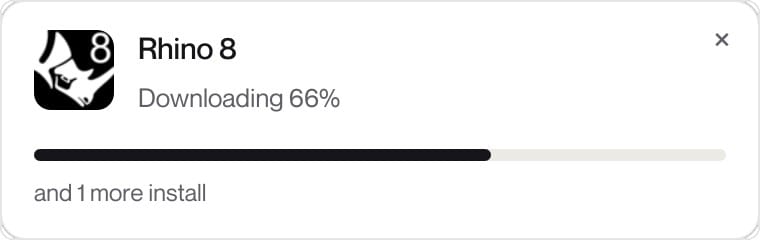
Pick an app and Computle does the installing. A small card in the corner of the screen follows each install to the end, even when several run at once, so nobody has to wonder whether it worked. Collections, such as everything a new starter needs on day one, install in one go.
Paid apps say Licensed by your organisation, and the person confirms they have a seat before the install starts. When an app needs sign-off, they ask for it from the App Library and hear back when it is approved and installing. And if an app needs more free space than the workstation has, it is greyed out with the reason, rather than failing halfway through.
Every risk, in one place
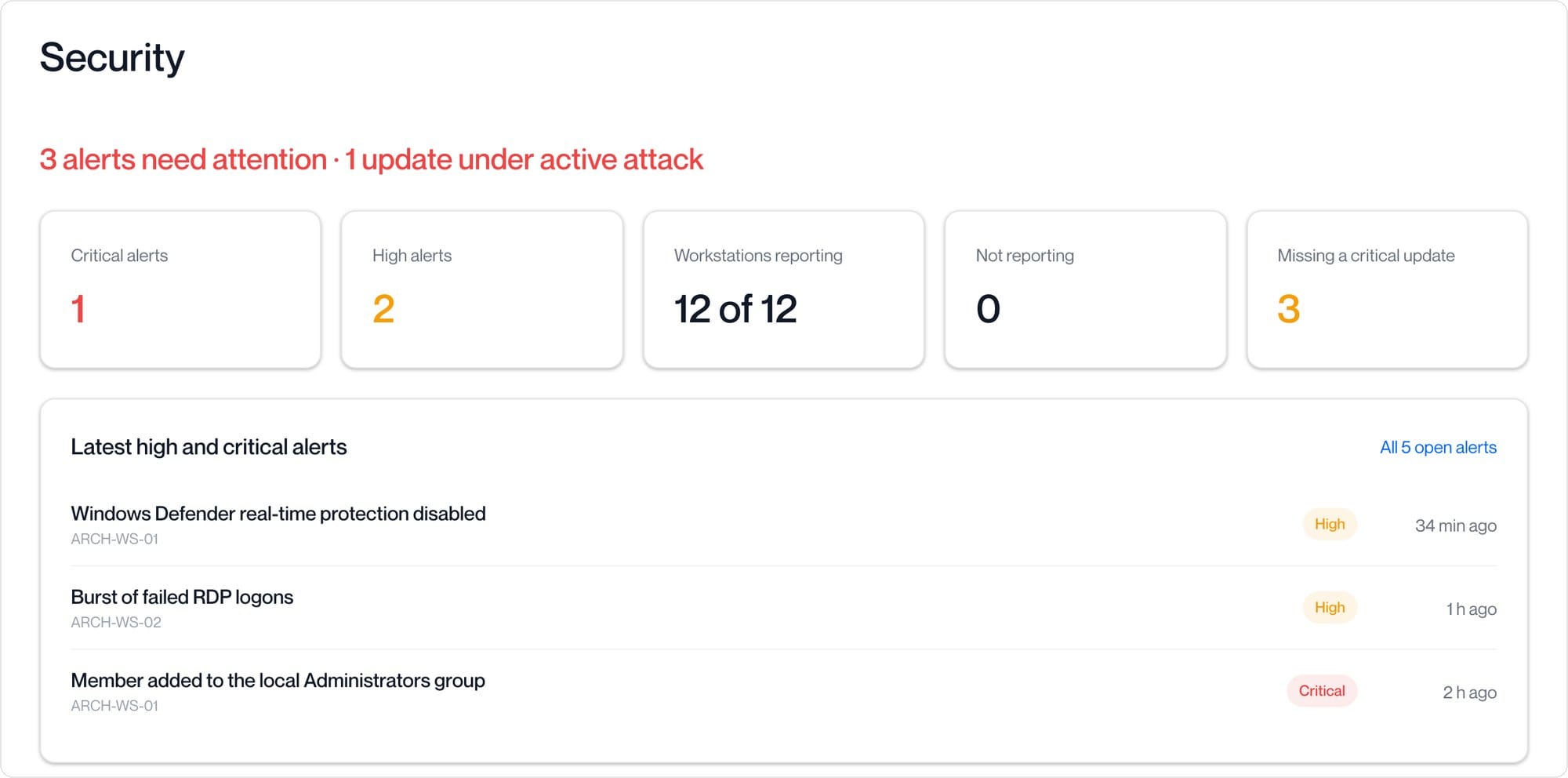
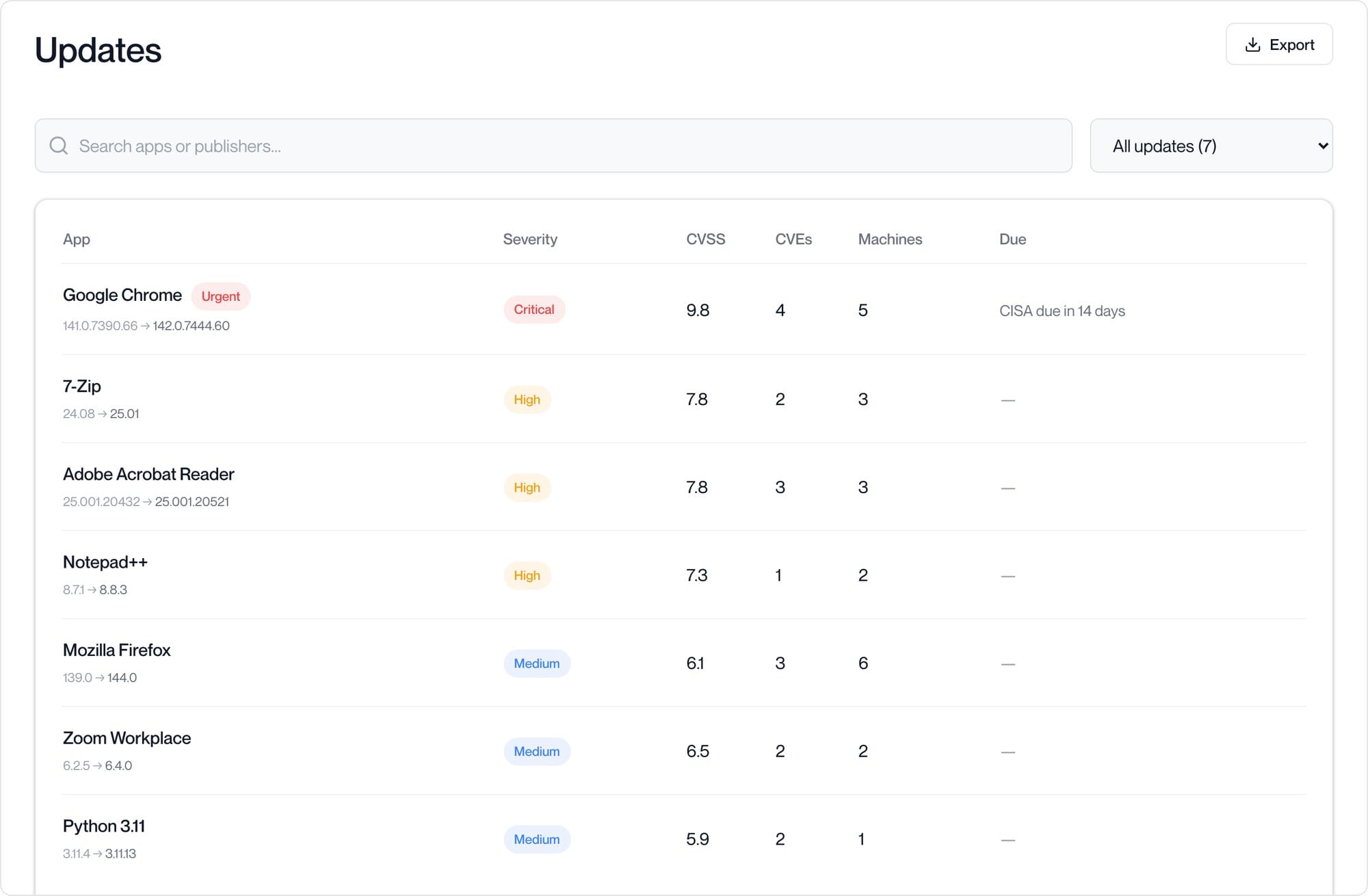
Vulnerability tracking and threat detection for every workstation, together in the Computle Portal. It opens on what needs attention first, and anything under active attack is marked Urgent.
An agent on each workstation reports the software installed on it, and Computle checks every version against the public vulnerability databases, NVD and OSV. The result is a fix-first list: one row per app, most risk first, with the version to update to, its worst severity and the workstations it is on. Anything in the CISA Known Exploited Vulnerabilities catalogue is marked Urgent, with the date it should be fixed by.
Threat detection runs alongside it. Each workstation sends its Windows Security, System, PowerShell, Sysmon and Windows Defender events to a threat detection service run for your organisation alone, where more than 3,000 detection rules check them as they arrive: Computle’s own, and rules from the SigmaHQ community.
Every alert explains what happened on the workstation, in order, with who did each step and who was signed in at the time. Critical alerts can reach you by email and in Microsoft Teams, the full event log can be searched with each event explained in plain English, and the recommended rules are on from the start, with room for your own.
Your own Windows image in a few clicks
A short wizard builds the Windows image for your workstations, with the newest NVIDIA driver, Windows updates and your apps already in it.
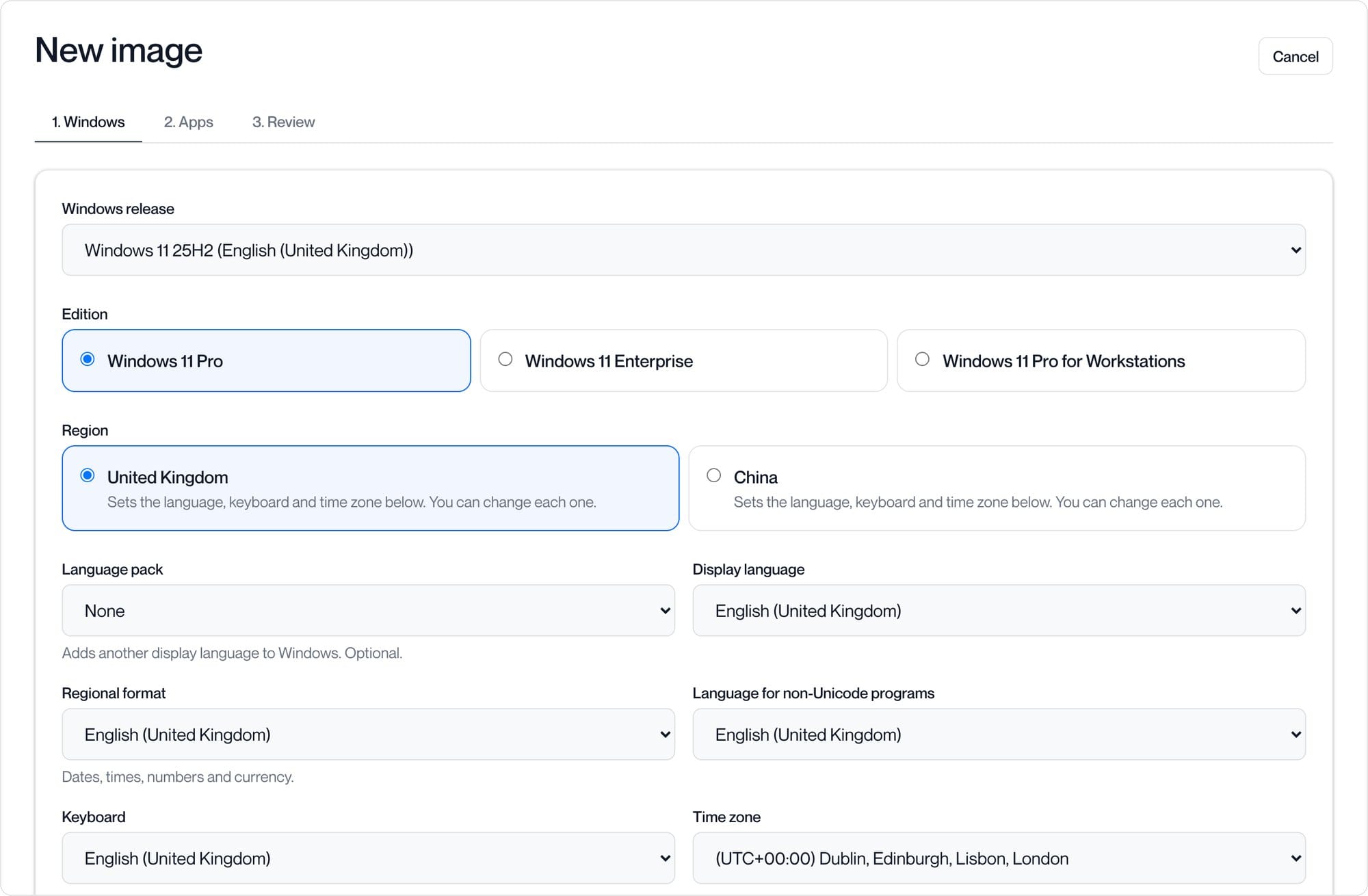
Every question in the wizard already has an answer chosen, so a standard image really is a few clicks. Pick the Windows release and edition, and a region preset for the United Kingdom or China sets the language, keyboard and time zone for you, each of which you can still change. The newest NVIDIA driver is selected by default.
Choose your apps from App deployment and their prerequisites are added automatically. Windows updates can be installed during the build, so workstations start up to date, or left out for a quicker build. The image itself holds no licence: each workstation keeps its own, or a product key entered at deploy is used once and not kept.
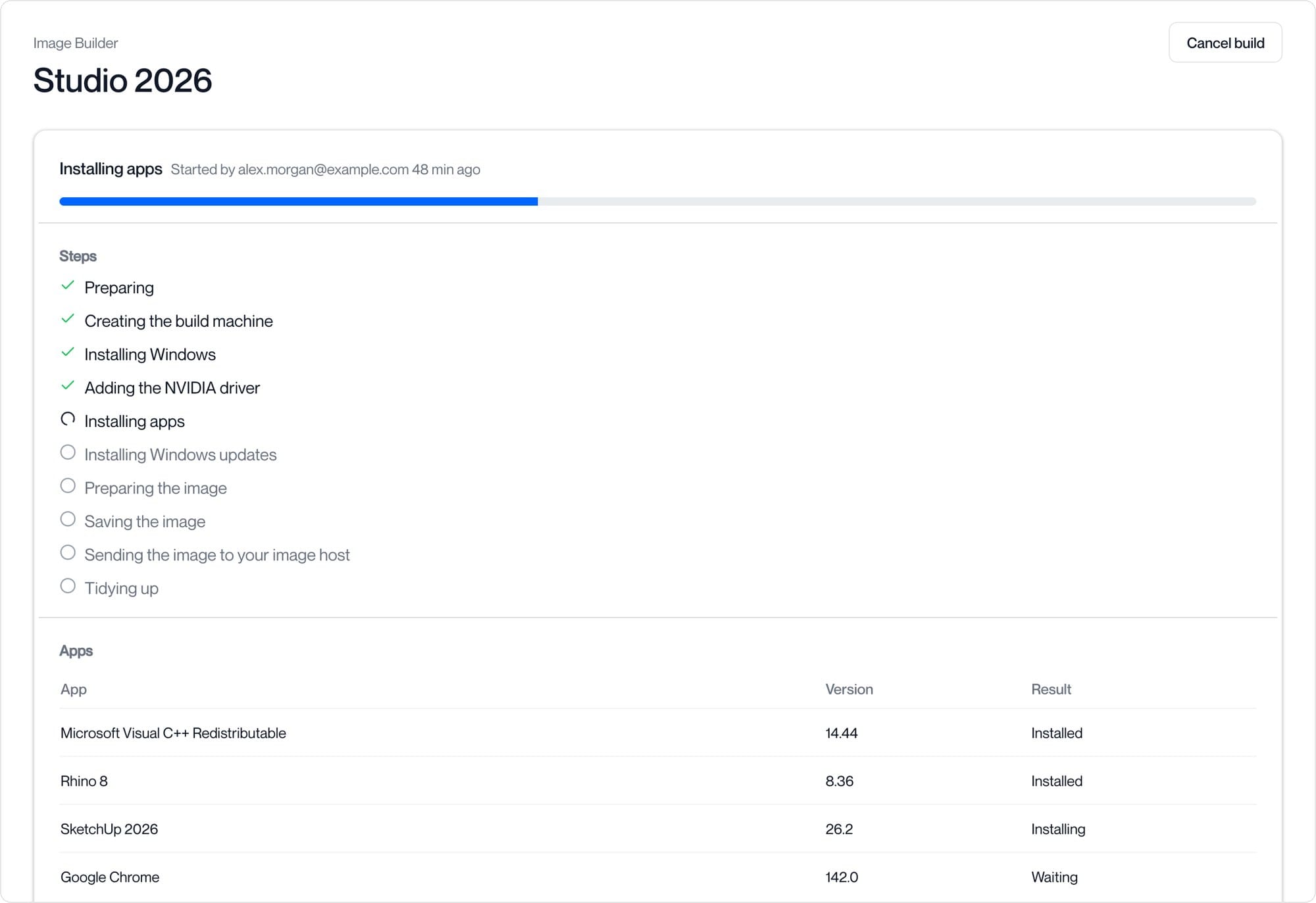
Each build has its own page showing its steps, its apps as they install and the latest log lines. A build waiting its turn shows its place in the queue and a rough start time, the people you choose are emailed when it finishes, and the finished image is ready to deploy to your workstations with Machine Imaging.
See which workstation needs you first
Every workstation gets a score out of 100, worst first, with the reasons beside it: blue screens, failed connections, updates waiting for a restart and slow sign-ins.
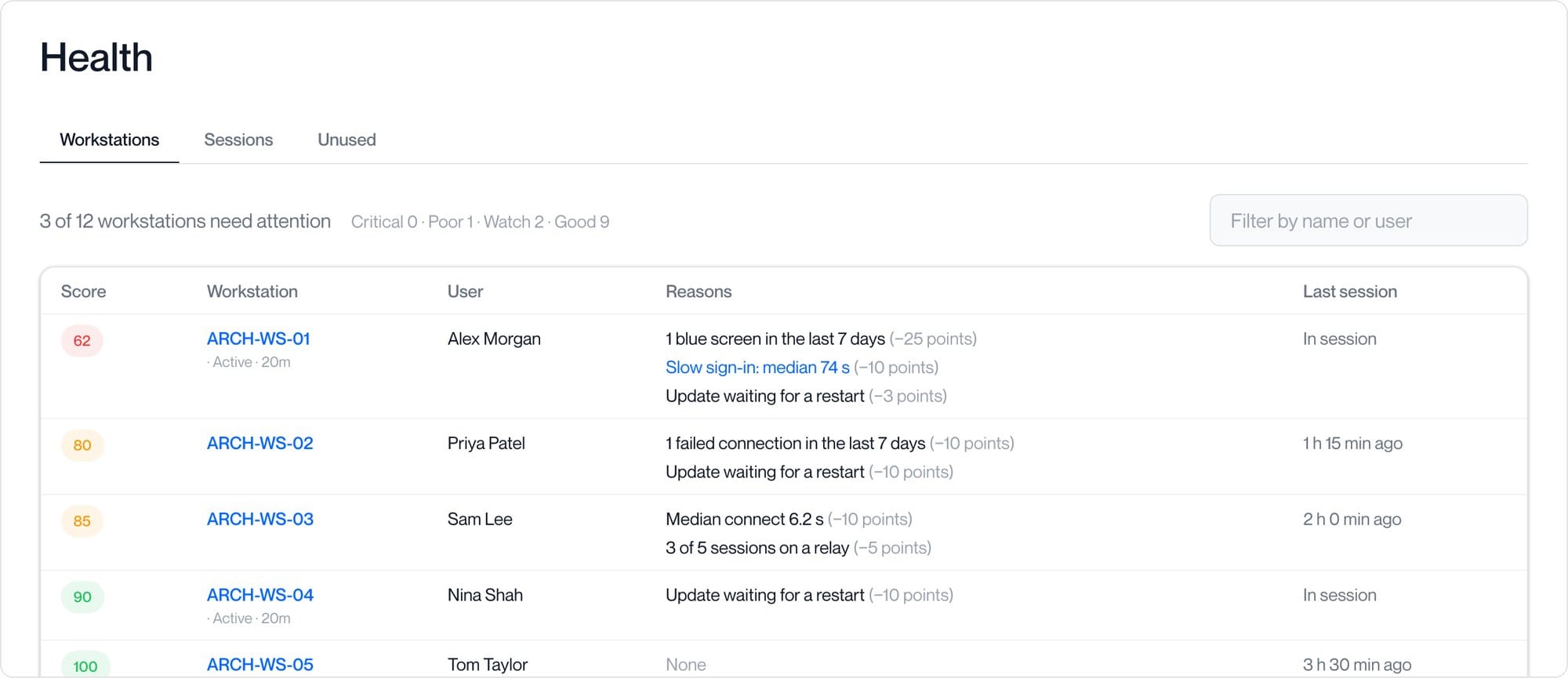
Health sits at the top of Monitoring in the Computle Portal. The score looks back over the last seven days, at blue screens, power losses and hard resets, failed and slow connections, sessions that had to use a relay, updates waiting for a restart and slow Windows sign-ins.
Every point taken off is listed next to the score, so the page tells you not just which workstation to look at but why. Scores fall into four bands, Good, Watch, Poor and Critical, and a slow sign-in links straight through to that workstation’s sign-ins.
Two more views sit beside it. Sessions shows connect time, latency and frame rate for each person and each workstation, with any failed connections and the stage they failed at. Unused lists assigned workstations nobody has connected to in 30 days.
Know why a sign-in was slow
Every Windows sign-in is timed to a usable desktop, with the stage that was slow and the reason, such as Group Policy mapping drives.
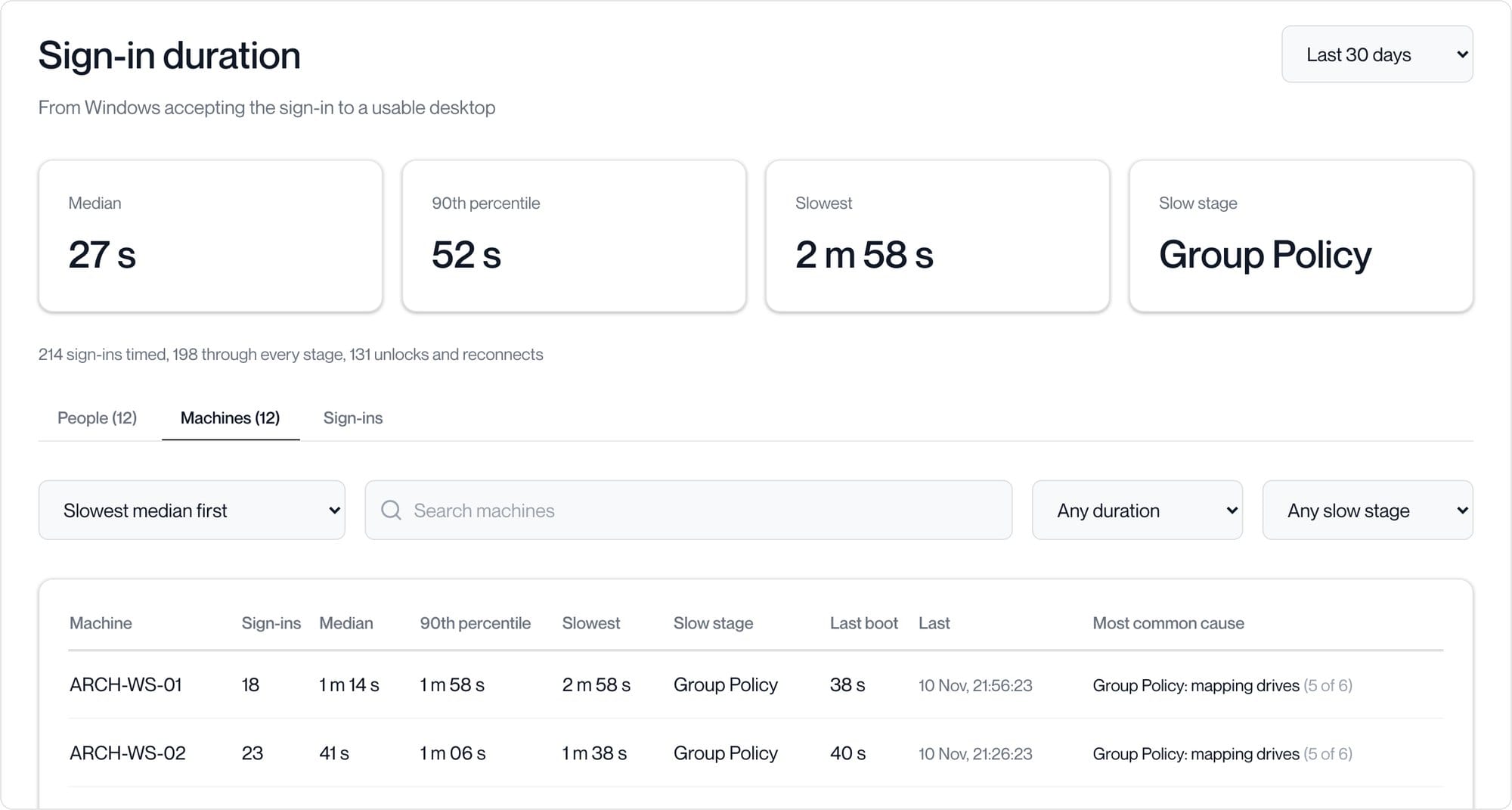
Sign-in duration, under Monitoring, measures each sign-in from the moment Windows accepts it to a usable desktop, for each person and each workstation, slowest first. Each one is split into its stages, Windows sign-in, profile, Group Policy and shell, and the page shows the median, the 90th percentile, the slowest sign-in and which stage is slowest overall.
A slow sign-in says why, such as Group Policy mapping drives or a logon script running, and opens to the evidence Windows recorded. The People and Machines views show the cause most of their slow sign-ins share, so a pattern stands out straight away.
Open a person or a workstation to see every sign-in on one chart, over the last 24 hours, 7, 30 or 90 days, or dates you choose. Sign-ins, unlocks and reconnects can be told apart, every view is a link you can share, and the list exports to CSV.
Print to the printer on your desk
In beta now. Print from any program on your workstation to the printer attached to the Windows PC or Mac you connect from.
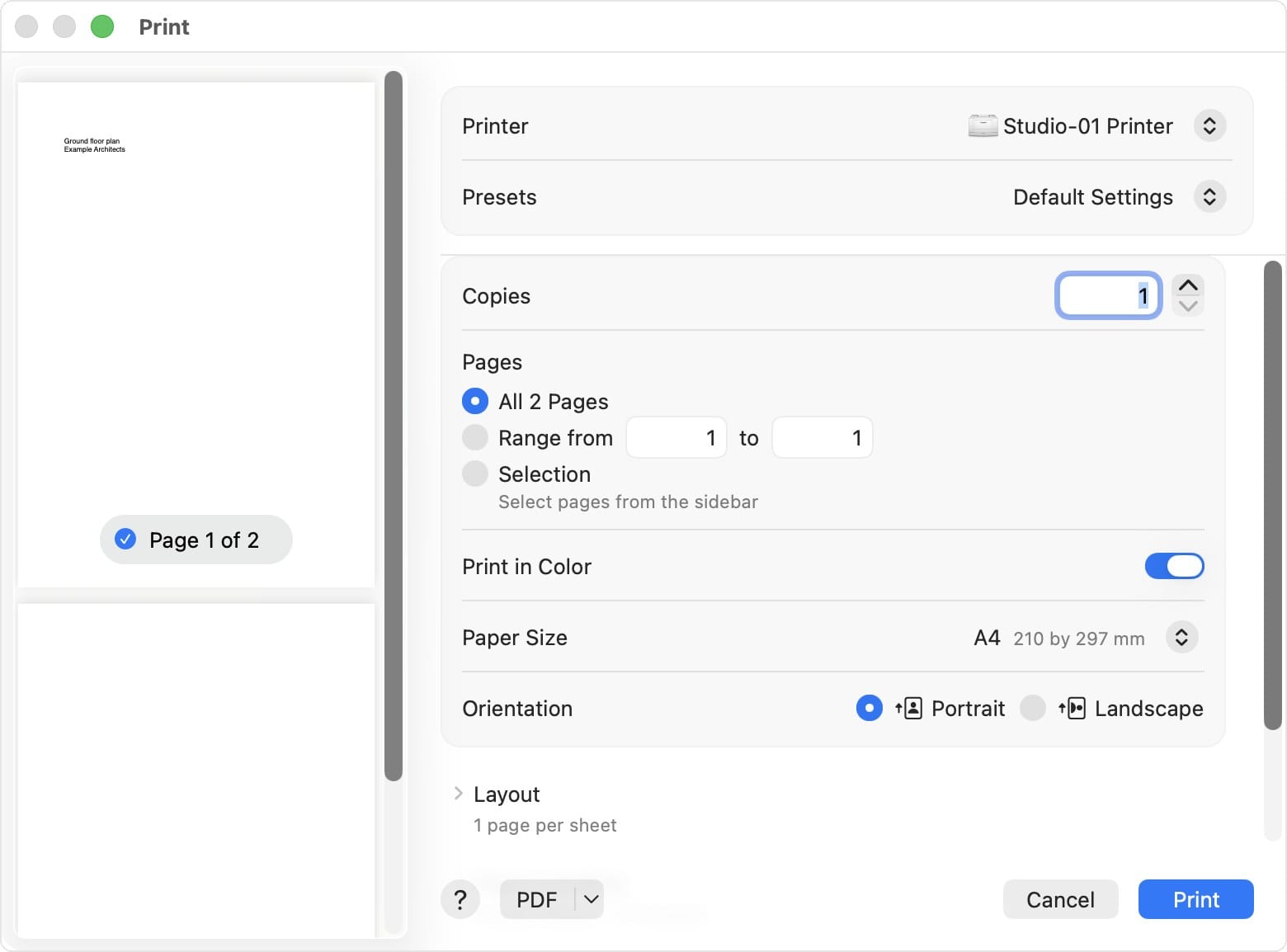
Printing works from any program on your Computle workstation. Choose your own printer, the one attached to the Windows PC or Mac in front of you, and the page comes out on your desk.
The document travels as a PDF inside the same encrypted session as everything else you see on your workstation.
Want to know when these reach your organisation? Get in touch with your account manager.
Screenshots show a fictitious organisation and data. Features and their availability may change before release.
Rhino is a trademark of Robert McNeel & Associates. SketchUp is a trademark of Trimble Inc. Bluebeam and Revu are trademarks of Bluebeam, Inc. Google Chrome is a trademark of Google LLC. Adobe and Acrobat are trademarks of Adobe Inc. Firefox is a trademark of the Mozilla Foundation. Zoom is a trademark of Zoom Communications, Inc. Python is a trademark of the Python Software Foundation. QGIS is a trademark of the QGIS.org association. Blender is a trademark of the Blender Foundation. Windows, Microsoft Teams and Windows Defender are trademarks of the Microsoft group of companies. NVIDIA is a trademark of NVIDIA Corporation. Mac and macOS are trademarks of Apple Inc.